Project insights
My Role
Lead Designer
Research and Strategy
Design System
The Team
Design Manager
Lead Designer (me)
Design intern
Results
01 · Introduction
The challenge of growing beyond your original user
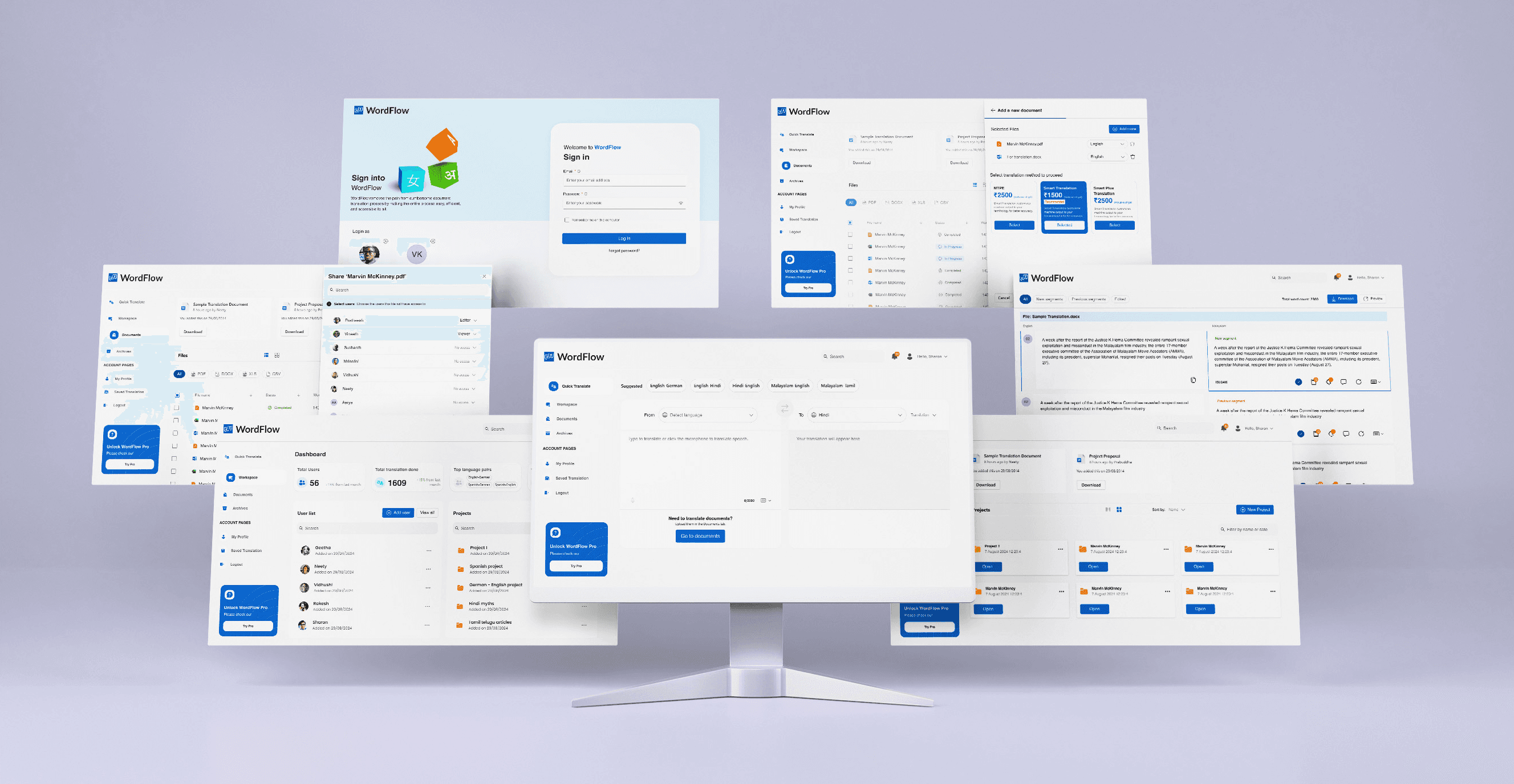
This AI-powered document translation platform is designed to simplify localization for businesses expanding into non-English markets.
As user needs evolved, the original interface struggled to accommodate both enterprise-level and casual users. In August 2024, we set out to redesign the platform to create a more efficient, user-friendly experience that meets diverse user requirements.
Founder
This direction was the design north star throughout: every decision had to justify itself through improved efficiency and reduced cognitive load not just visual appeal.
02 · The Problem
What was breaking and for whom
The existing interface was designed around a single mental model: an experienced enterprise user who knows what they need and how to find it. As the user base diversified, four structural problems became visible across all user types.
Key issues
🔍 Feature Discoverability
Users struggled to find key tools like Quick Translate.
😕 High Task Abandonment
Casual users dropped off due to complexity and poor navigation.
🧭 Fragmented Workflow
Admins lost time switching between multiple screens.
✏️ Limited Edit Control
Content requestors wanted more ability to refine translations.



08 · Design Decisions
What changed and why
Each solution traces directly to a problem identified in research. Below are the four major redesign areas, with the reasoning that connects user need to design decision.
Quick Translate Overhaul
User Scenario
Casual users were abandoning the product entirely due to discoverability failures. Quick Translate — the feature they needed most — was buried with an unrecognizable icon that gave no affordance.
Solution
✅Made Quick Translate the default landing page post-login.
✅Added auto-language detection and voice input options.
✅Introduced "Save Translation" overlay for quick access later.
✅Added an on-screen keyboard for typing in local/international languages.
✅Integrated a feedback system for real-time translation quality insights.
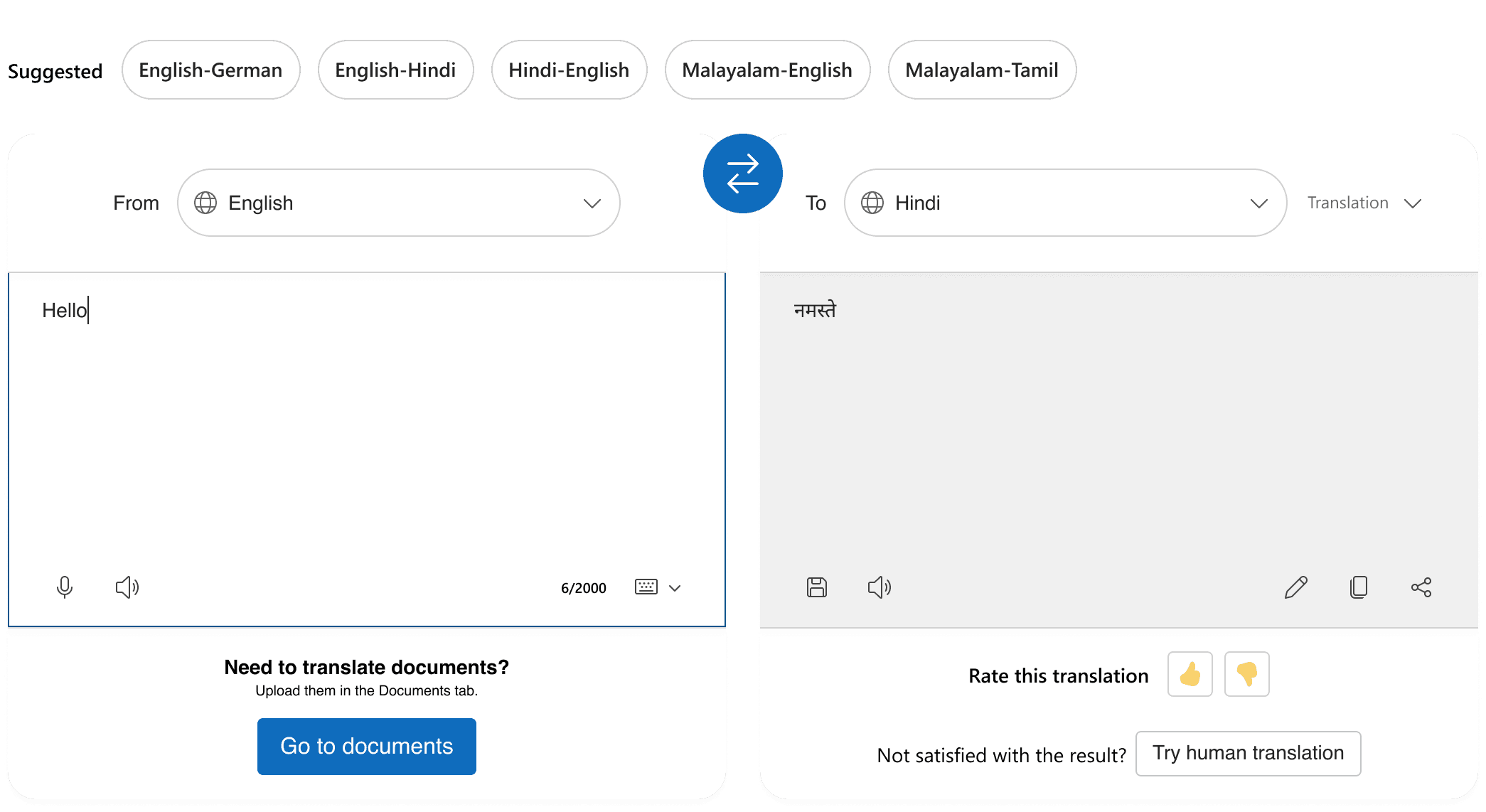
Quick Translate
Voice Input
Saving a translation
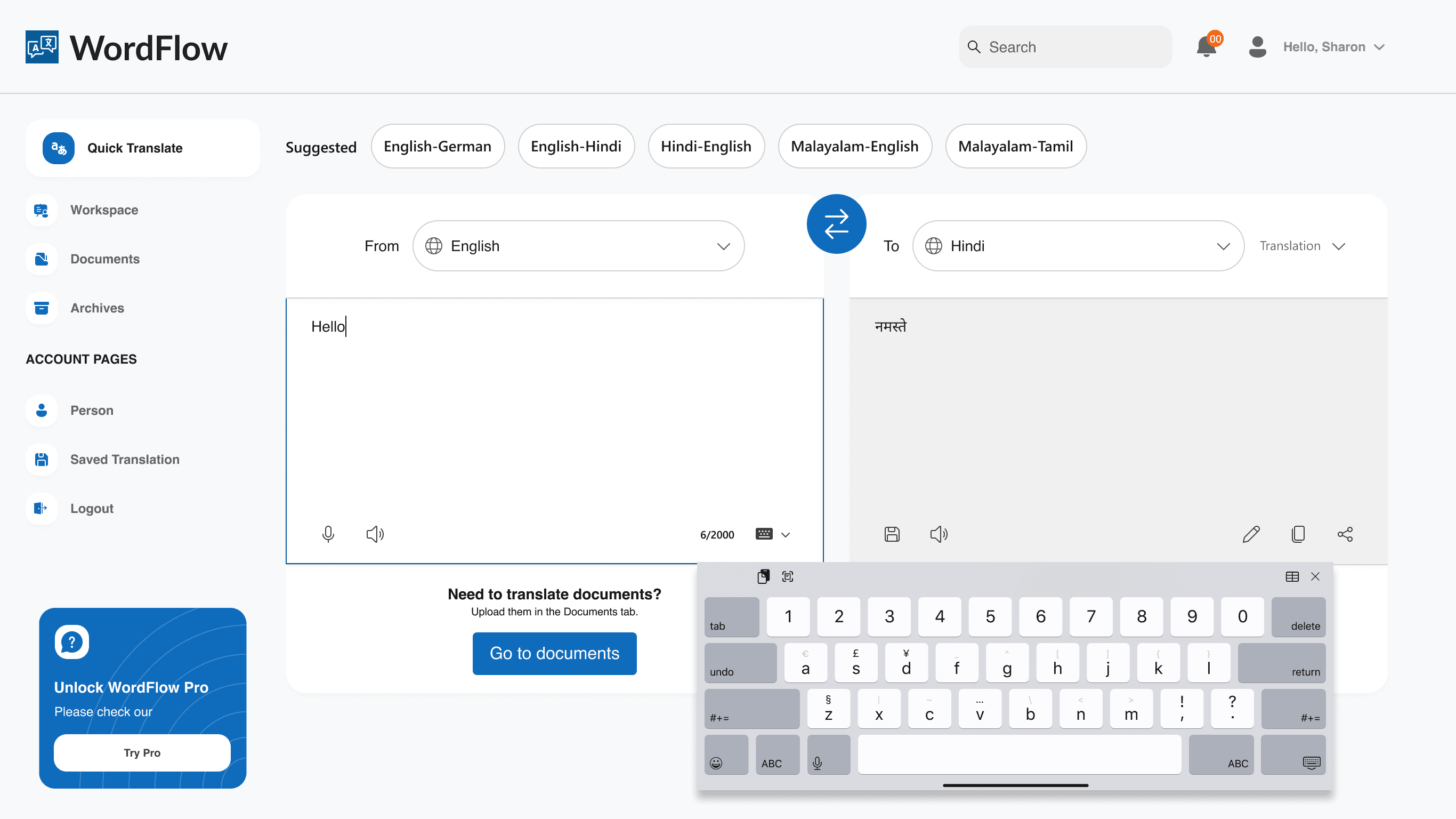
On-screen keyboard
Unified Admin Dashboard
User Scenario
Admins like Marco were spending significant time navigating between disconnected screens to manage users, review activity, and maintain terminology libraries. Every context switch cost focus and time.
Solution
✅Introduced centralized dashboard showing total translations, top language pairs, and costs.
✅Added overlay drawers for adding/removing users without losing context.
✅Simplified terminology management workflows via quick-access term libraries.


Separate metrices for different users
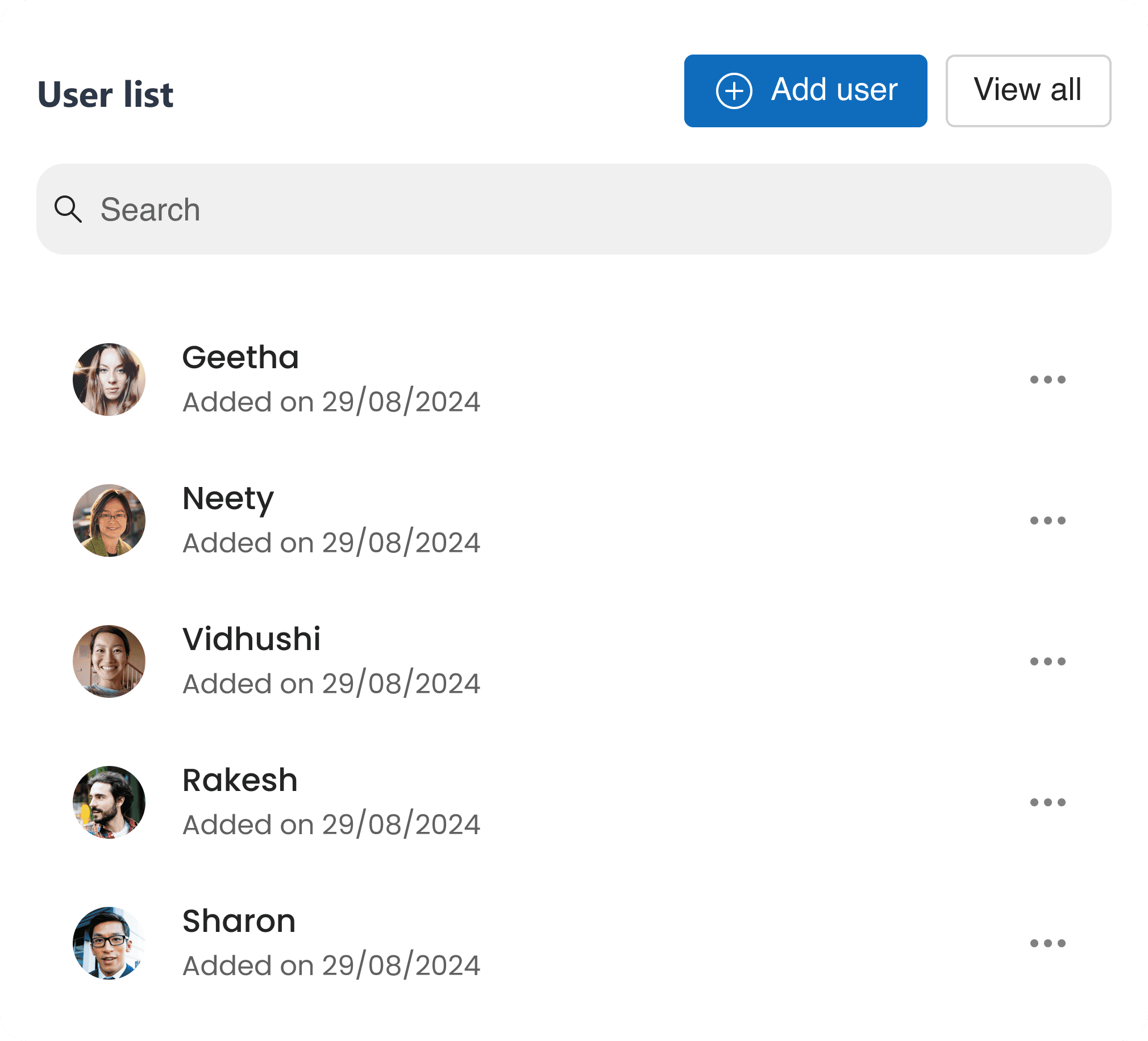
Adding a new user
User list
Terminology management
Term Library
Document Management Redesign
User Scenario
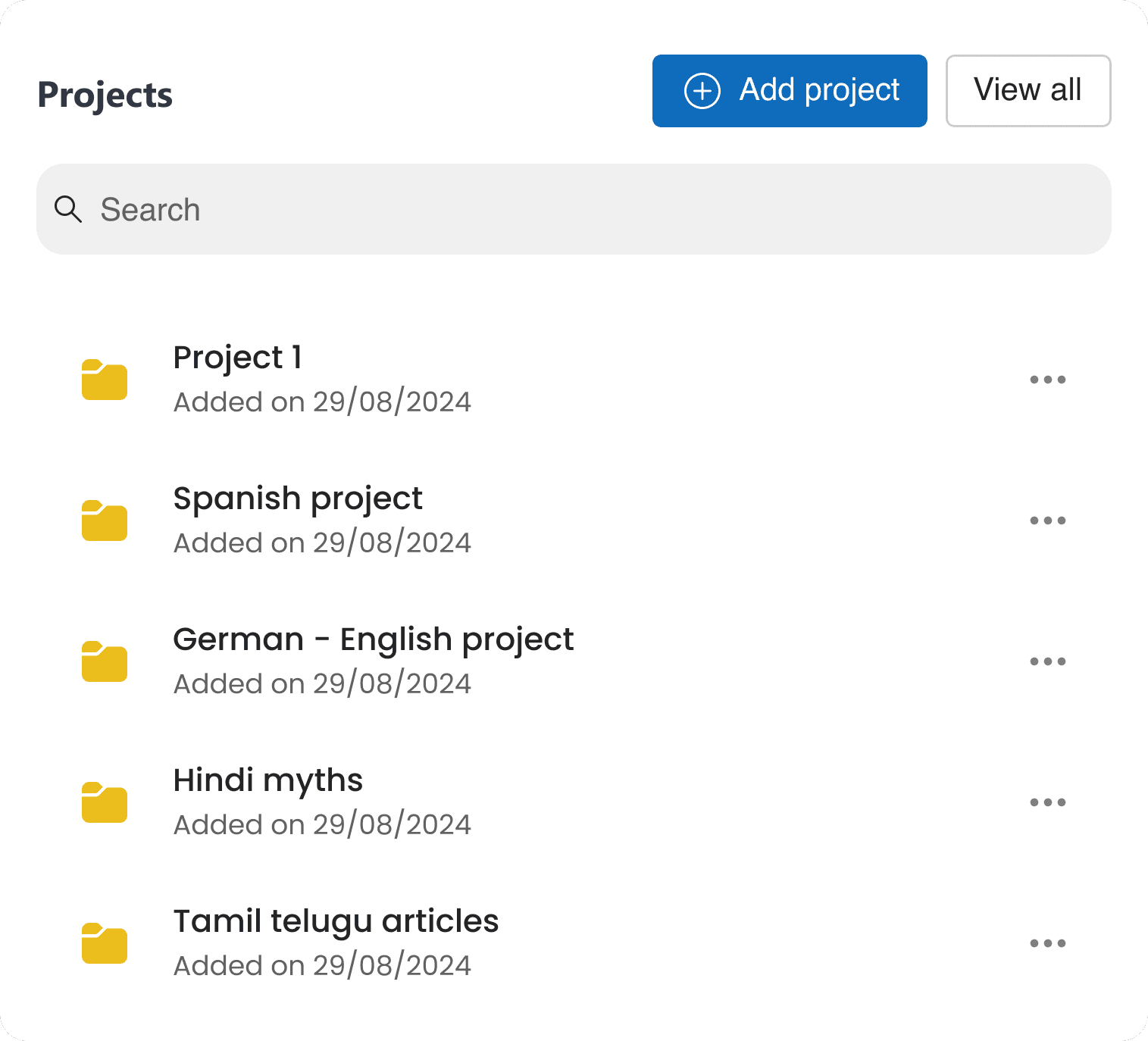
Shreya's team handled bulk document translation regularly. The original interface didn't support multi-file uploads, hid cost estimates until after submission, and presented translation method options (Machine / Human / Smart) without meaningful differentiation — leading to hesitation and drop-off.
Solution
✅Implemented drag-and-drop upload functionality with multi-document support for bulk uploads.
✅Embedded real-time cost previews during file selection so users can make informed decisions upfront.
✅Differentiated translation methods visually so content teams can choose based on speed or accuracy needs.
✅Enabled editing capabilities within translated documents when quality falls short.
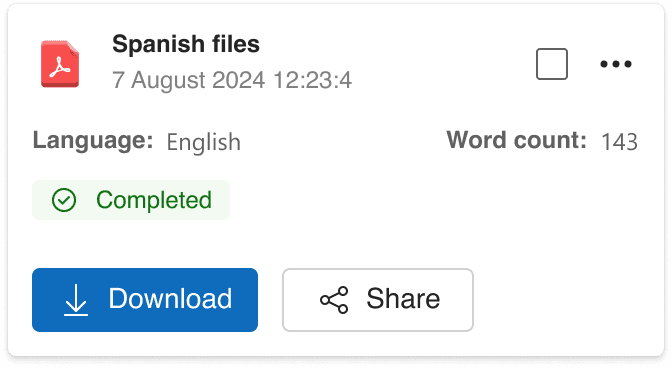
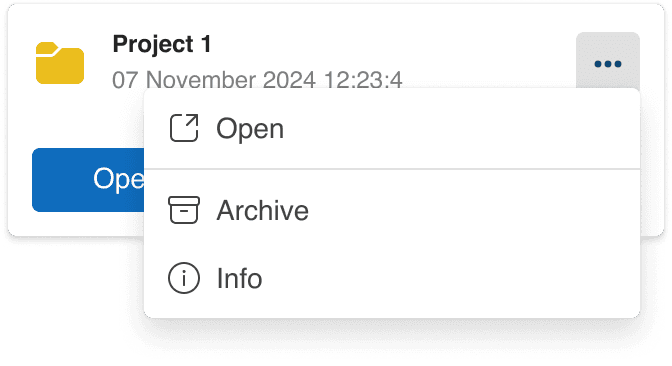
The document section transformation.
(Moved away from its spreadsheet-like appearance toward a more intuitive workspace model.)
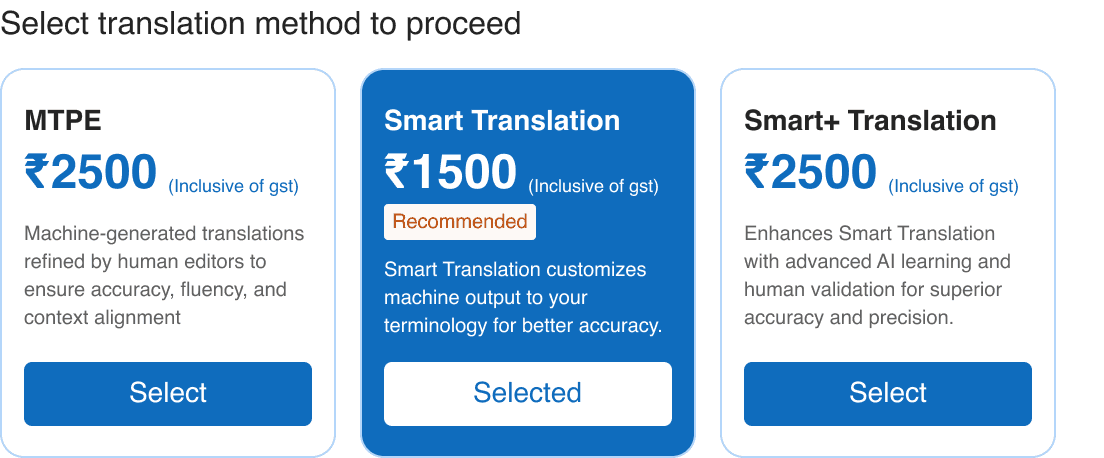
Clearly distinguishable translation methods and their respective value propositions.
Documents - navigation
Uploading a document
Sharing a document
Editing a document
User Scenario
Content teams consistently needed to refine translation output — but the original interface offered no editing capability. The only options were accept or reject. For high-stakes documents like legal contracts, this was a blocker.
Solution
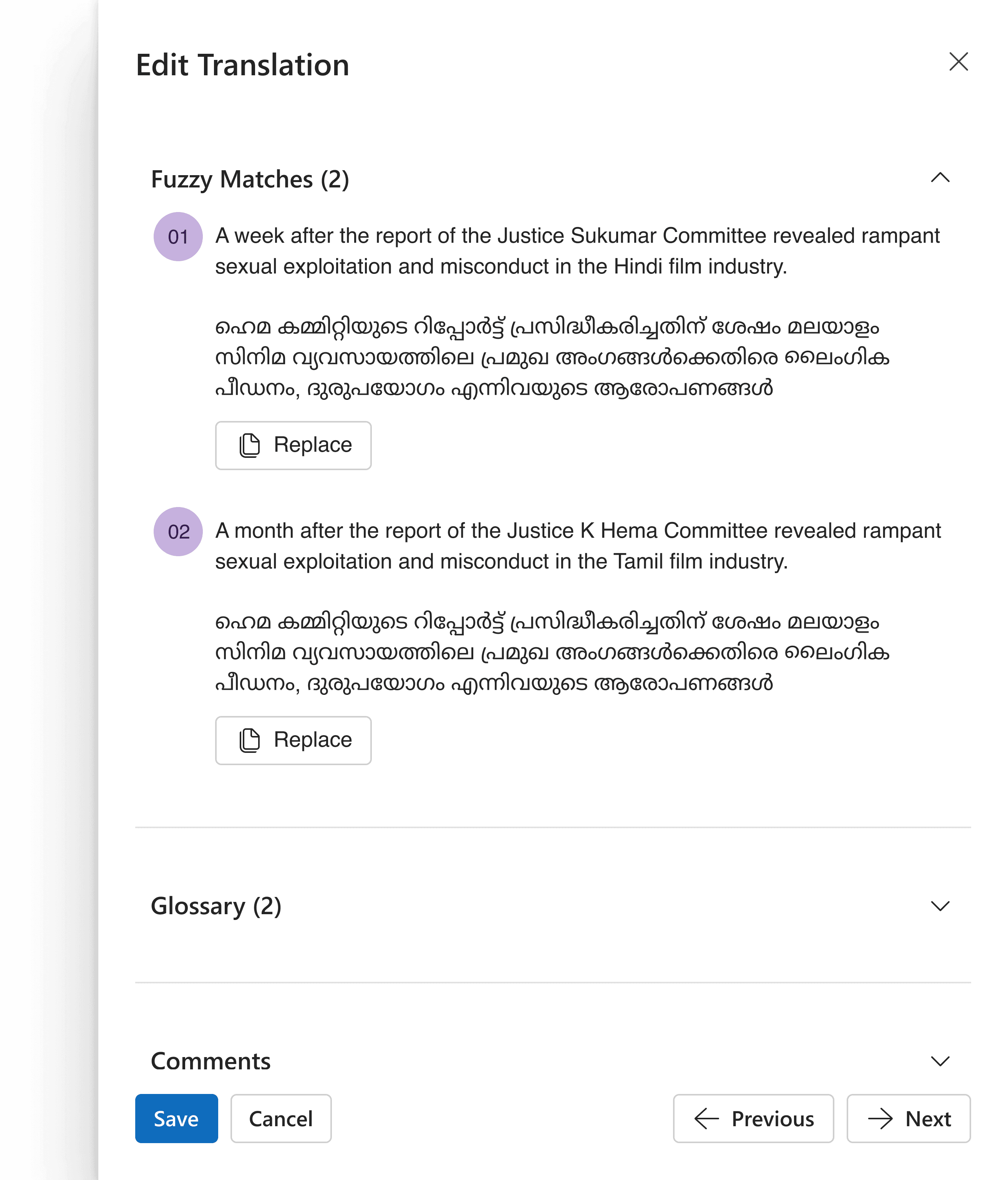
✅Introduced segment-wise editing, allowing users to edit translations at a granular level.
✅Added fuzzy matches to highlight segments that closely match existing translations but may require minor adjustments.
✅Integrated a glossary replacement feature, enabling users to quickly replace inconsistent terms with approved glossary entries.
✅Enabled commenting within segments, allowing team members to leave feedback or notes for collaborators during the review process.
Uploading a document
09 · Design System
Building the foundation for scale
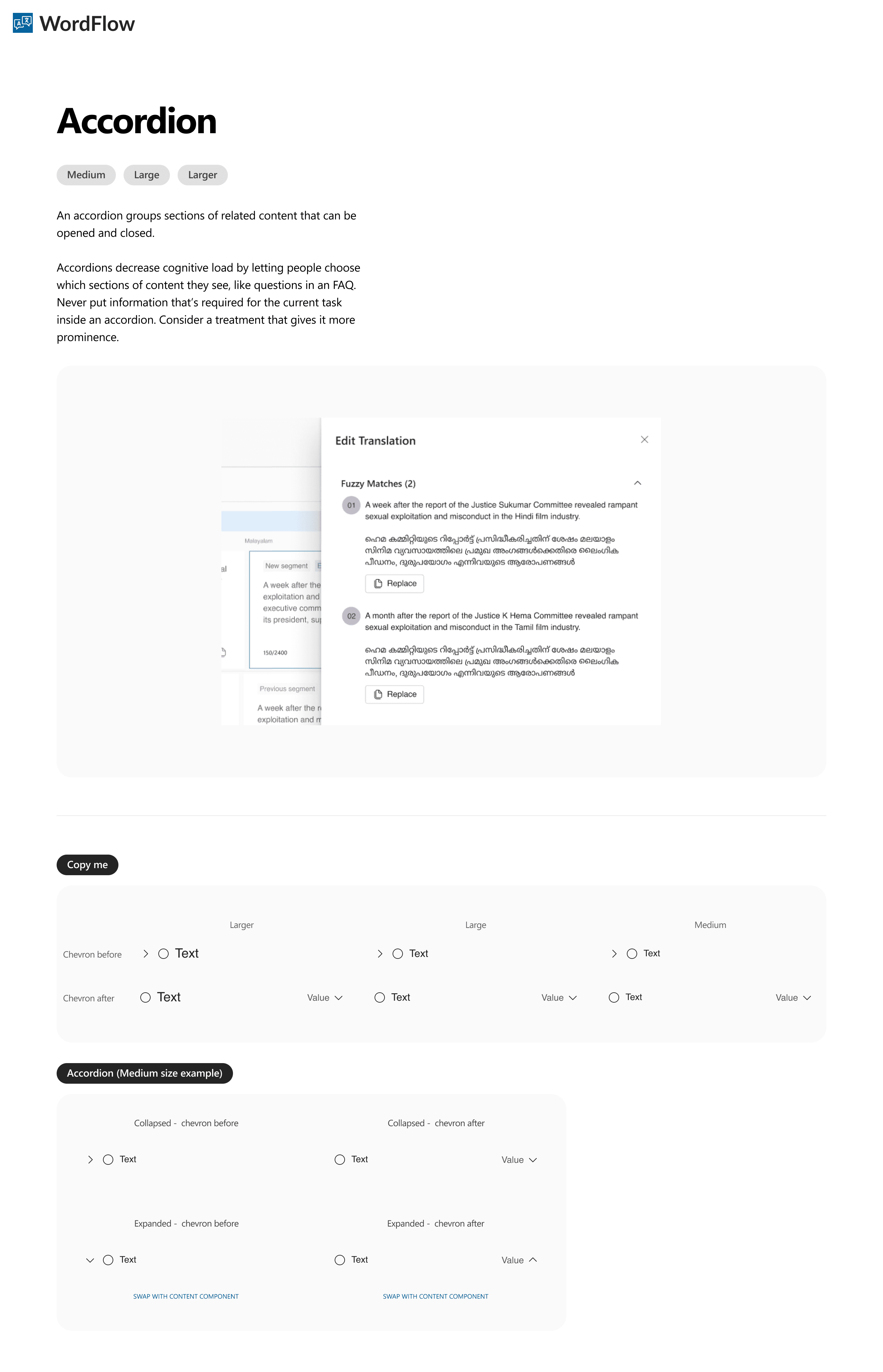
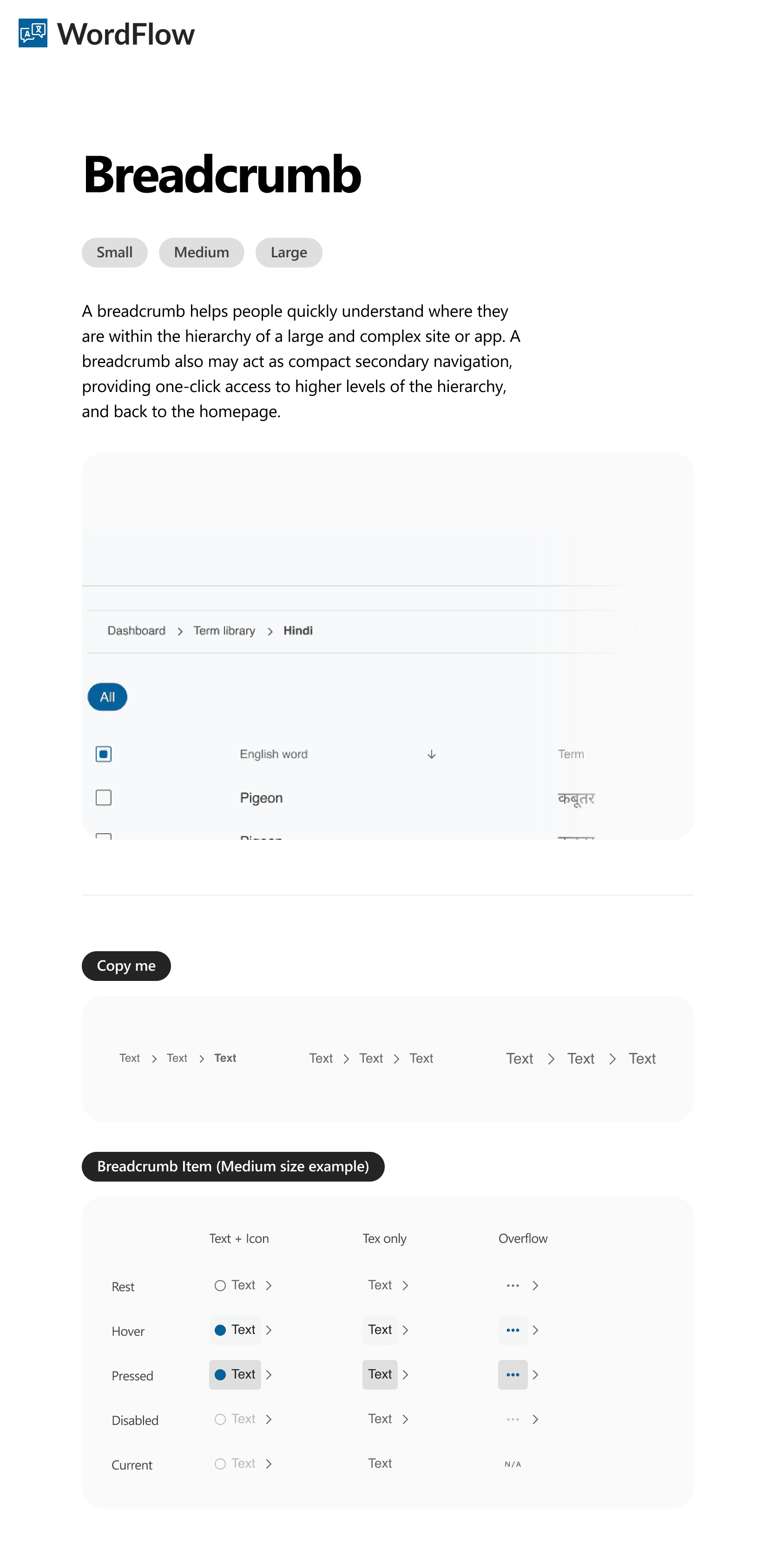
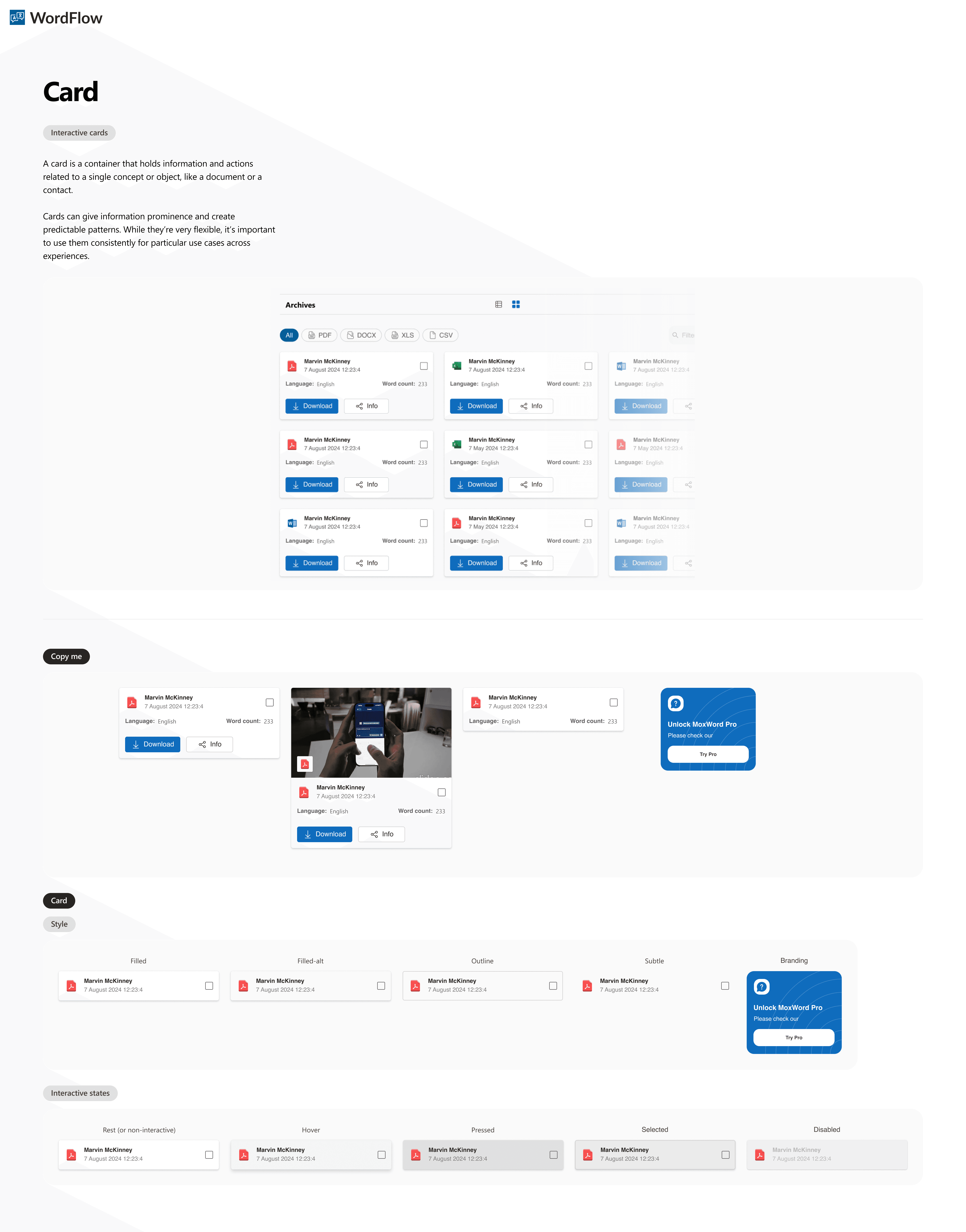
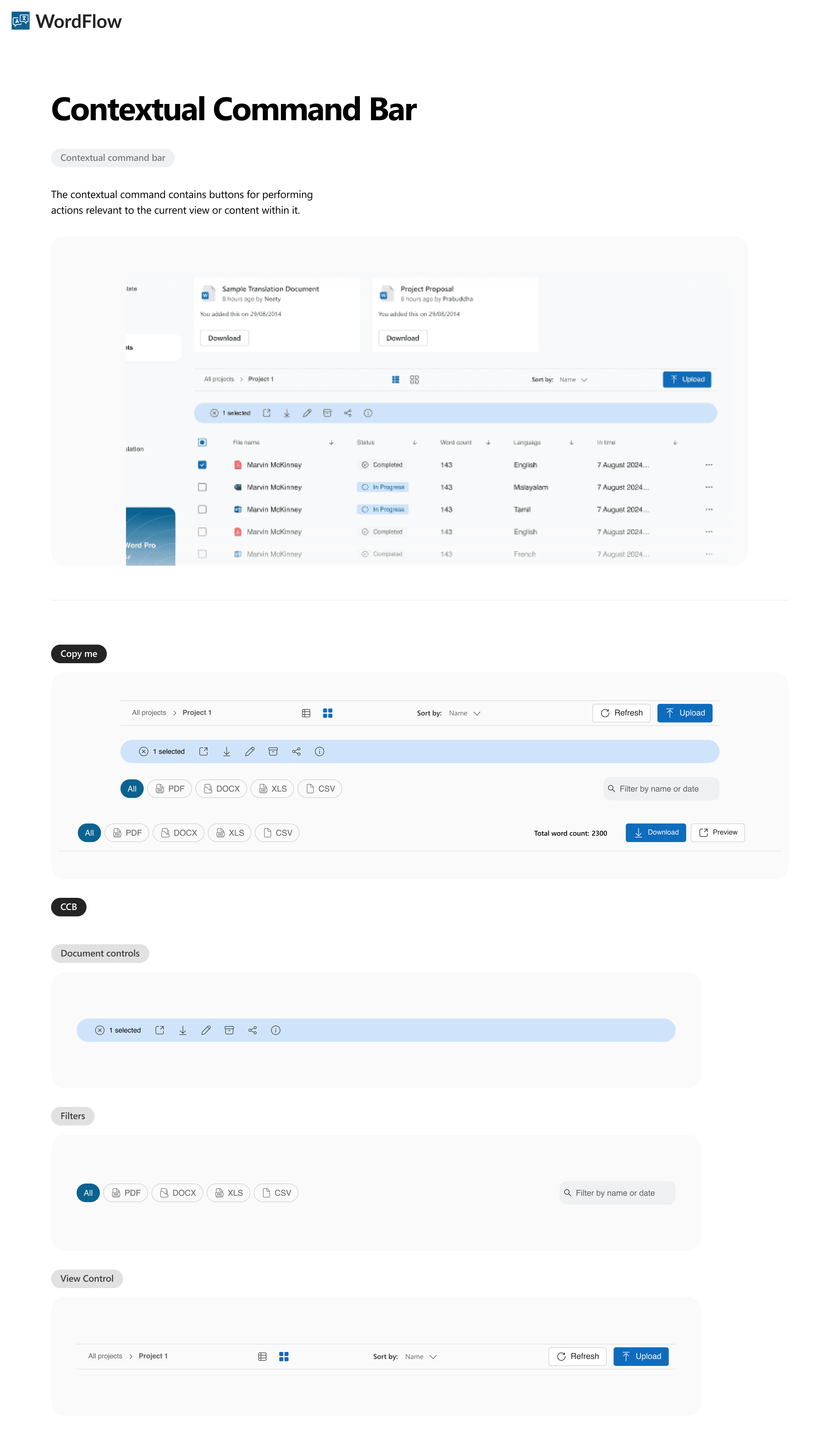
A platform serving three user types with distinct workflows requires a design system that can express those differences without fragmenting the visual language. We built WordFlow's design system from scratch — covering tokens, components, typography, spacing, and interaction states — with the intent that first-party and third-party teams could extend it without custom one-offs.
Key decisions in the system include a shared component library with role-context variants (e.g. the dashboard card adapts its data display based on user type while using identical structure), and a consistent overlay pattern that unifies user management, terminology editing, and document sharing under one interaction model.
Excerpts from design system
10 · Outcomes
What the redesign delivered
The project was delivered to the WordFlow team in August 2024, after which the client took full ownership of implementation. Formal post-launch measurement is ongoing on their side. What we can point to are the design-level outcomes — each traceable to a specific KPI established at the start of the project.
😖 Drop-off Rate
Quick Translate as the default landing page
Directly removes the primary drop-off trigger for casual users: inability to locate the feature. The redesign eliminates navigation as a prerequisite for the core use case.
⏲️ Time on Task
Overlay drawers replacing multi-screen flows
User management and terminology editing now happen in-context. Admins no longer lose their place navigating between screens to complete a single task.
👷♀️ Task Completion Rate
Real-time cost preview and method clarity
Content teams can now make informed translation method decisions before uploading — removing the hesitation and abandonment that came from committing without information.
✅ Accuracy Feedback
Segment editing and in-product feedback
For the first time, content teams have the tools to act on translation quality issues directly. The feedback loop between quality perception and improvement is now closed.
11 · Reflections
What I'd carry forward, and what I'd change
What worked well
KPIs as a design tool, not a reporting tool
Framing success metrics before designing — and tying each KPI to a specific user problem — kept decisions grounded throughout the project. It also made stakeholder conversations faster: we weren't debating opinions, we were debating hypotheses against shared criteria.
What worked well
The overlay drawer pattern
Using a consistent overlay pattern for all in-context actions (user management, terminology editing, document sharing) gave the product a coherent interaction vocabulary. It made admin workflows dramatically more efficient while keeping the system learnable.
What I'd do differently
Push for one real enterprise admin in testing
Content teams can now make informed translation method decisions before uploading — removing the hesitation and abandonment that came from committing without information.
What I'd do differently
Design the measurement infrastructure alongside
We defined KPIs but left measurement tooling to the client post-handoff. In hindsight, proposing a lightweight analytics instrumentation plan alongside the design — even just event tagging recommendations — would have made impact measurement much more likely to happen.
Open questions we'd want to test
01
Does making Quick Translate the default landing page create confusion for enterprise users who arrive with documents ready to upload? Does the navigation architecture recover them quickly, or do they need orientation?
02
Segment-level editing is a powerful feature — but is it discoverable enough without instruction? Do first-time users find and use it when their translation quality falls short, or do they still abandon?
03
The translation method differentiation (Machine / Human / Smart) was redesigned to be scannable. Does the new framing actually reduce decision hesitation, or do users still need more guidance before selecting?